
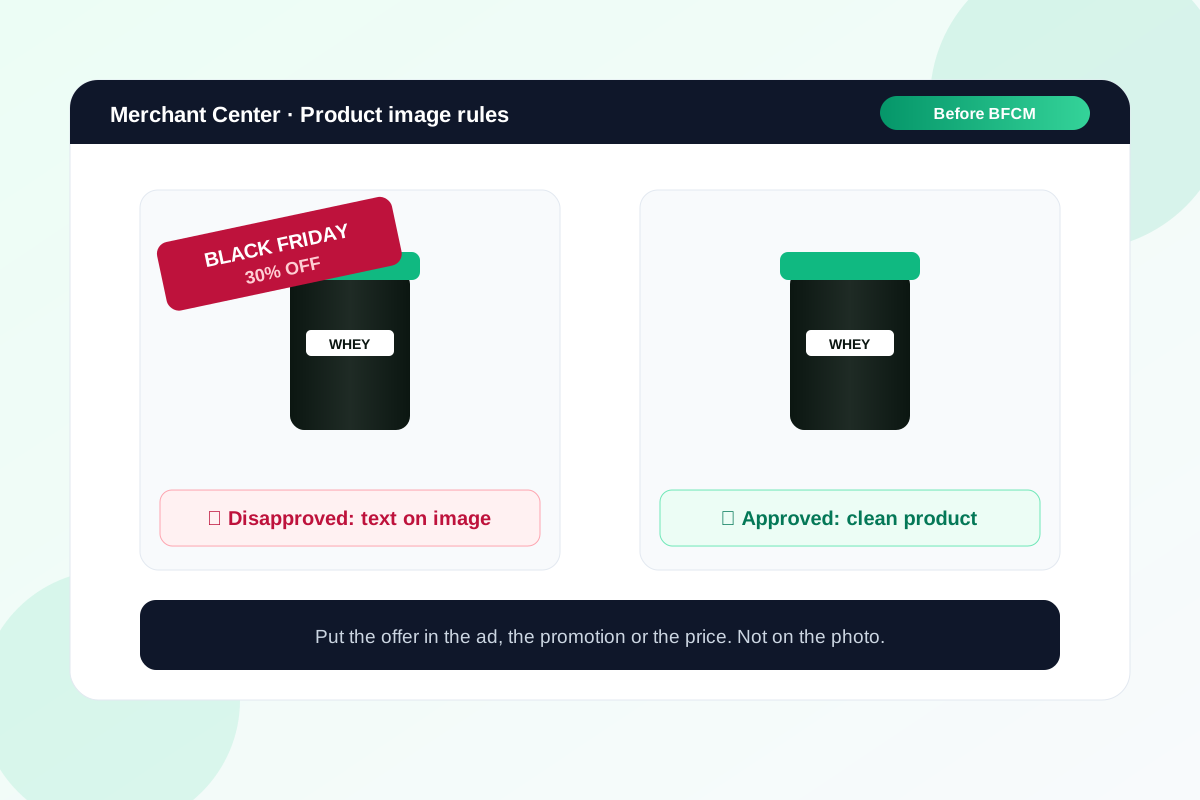
Black Friday is when stores are most tempted to stamp "30% OFF" across their product photos. It's also the week a Google Shopping disapproval hurts most.
Google's image rules shifted this month, and not in the direction most people assume. Blurry photos got a pass. Sale badges didn't.
Here's what's allowed now, what still gets a product disapproved, and the one setting I'd check before the end of October.
What changed in October
Google updated its low image quality help page to say a poor-quality image no longer stops a product from showing in ads or free listings. Blurriness, pixelation and low resolution are the examples it gives.
That's a relief if your catalogue has a few old supplier photos in it. It doesn't mean they're fine. A blurry thumbnail sitting next to a sharp competitor's still costs you clicks.
What still gets you disapproved
Google's image link requirements haven't moved on this. The main image has to show the product clearly, without promotional extras on top.
- Sale text and badges. "30% off", "Black Friday" and "Free shipping" stamped on the photo.
- Prices and calls to action such as "Shop now" or "$49".
- Watermarks and logos laid over the product, including stock photo watermarks.
The problem only bites if the badge is part of the image file your feed sends to Google. A badge your Shopify theme draws on top of the photo in the browser doesn't touch the feed. A badge someone designed in Canva and uploaded as the product image does.
The setting I'd check this week
Merchant Center has an option called automatic image improvements. It's off by default. Switch it on under Products → Automations and Google will try to remove text, watermarks and overlays it finds, so the product isn't disapproved.
I'd turn it on as a safety net before BFCM, not as a plan. Google says it may not fix every image, and you won't like every crop it makes. The real fix is keeping the main image clean and putting your offer in a promotion, the ad copy or your price.
Where the offer should go instead
You still want shoppers to see the deal. Just put it somewhere Google reads it properly.
- The sale price in your feed. Set the sale_price attribute and Google shows it as the current price, with your normal price kept in
price. Add the dates with sale_price_effective_date. - Promotion assets in Google Ads. Promotion assets put the offer under your Search ads, with dates you control.
- Everywhere else. Meta ads, email and your homepage banner can carry the badge. They're not your Shopping image.
Sale price is the one I'd get right first. One NZ catch: if you leave the time zone off the effective date, Google assumes UTC. Add +1300 for NZ daylight time, or your Black Friday price goes live 13 hours late.
The size rule coming in January
Product images need to be at least 500×500 pixels from 31 January 2027. Google is already showing warnings on smaller images, and it recommends around 1500×1500 for the best results.
Don't start replacing images in November. Export the list of products with size warnings now, and fix them in the quiet weeks after Christmas.
What to do this week
- In Merchant Center, open Products and filter for image issues. Fix anything flagged for text or overlays first.
- Ask whoever makes your BFCM creative to keep badges off the main product image. Use them in Meta ads, email and on-site banners instead.
- If you use a Shopify app that adds sale badges, check whether it changes the image file or just shows the badge on your site.
- Turn on automatic image improvements as a backstop.
- Export products with "image too small" warnings and book the fixes for early January.
If you want a second set of eyes on your Merchant Center before Black Friday, send me the store and I'll tell you what I'd fix first.
Sources
- Image link [image_link], Google Merchant Center Help
- How to fix: Low image quality, Google Merchant Center Help
- Allow Merchant Center to improve your product images, Google Merchant Center Help
- How to fix: Text on image, Google Merchant Center Help
- Sale price [sale_price] and Sale price effective date, Google Merchant Center Help
- About promotion assets, Google Ads Help
- Search Engine Roundtable on the October low-quality change
Get your Merchant Center clean before Black Friday.
Send the store URL. I'll reply within one business day (Christchurch time) with the image and feed issues I'd fix first.
Get a free store audit