
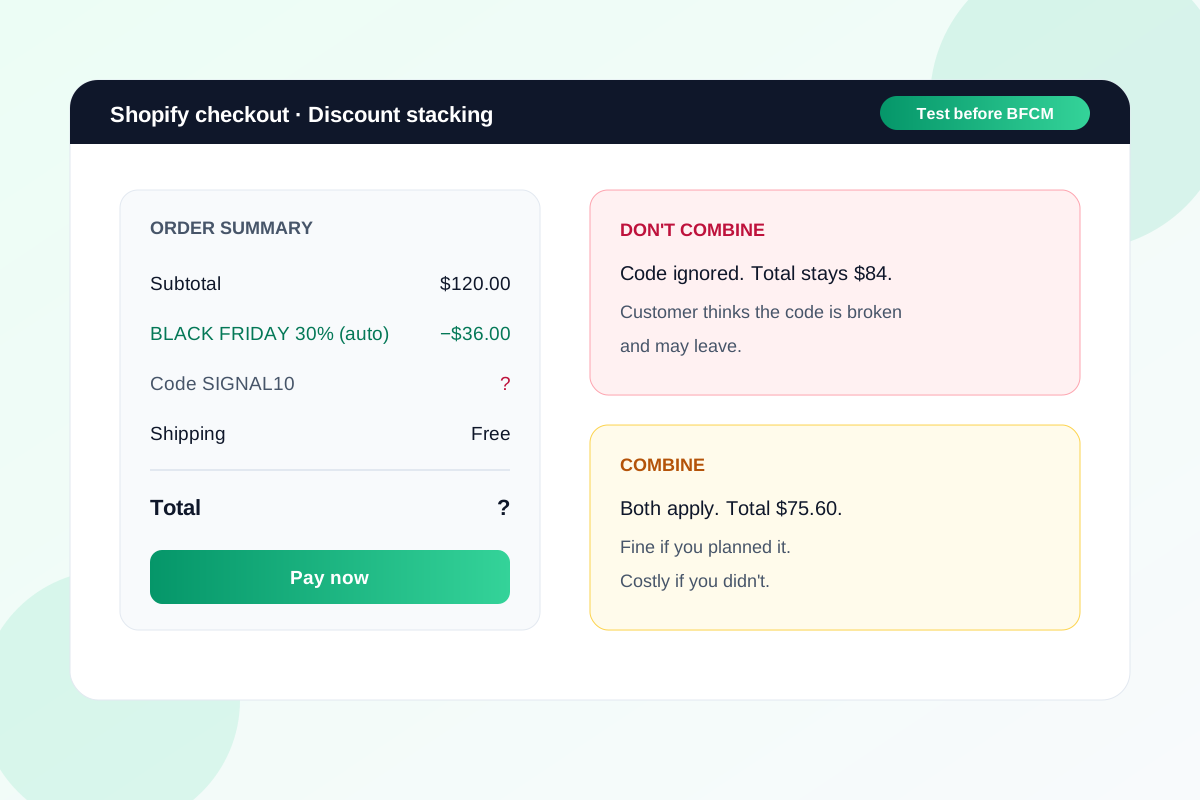
A customer gets your Black Friday email, adds the code at checkout and sees the total doesn't move. To them, your code is broken.
Usually it isn't. Shopify has quietly applied your automatic sale instead, because the two discounts weren't set to combine.
Discounts are quick to set up and easy to skip testing, and they're where both conversion and margin leak. A code that "doesn't work" loses the order. Two discounts that stack when you didn't mean them to lose the margin.
Here's how Shopify decides what applies, and the test orders I'd run before the 27th.
How Shopify decides which discounts apply
Shopify's discount combinations rules are simple once you see them written down.
- Both discounts have to allow it. Each discount has a Combinations section. If one of them isn't set to combine with the other's type, they won't stack.
- If they can't combine, the customer gets the best one. Shopify picks whichever discount, or set of discounts, saves them the most. That's the "my code didn't work" moment.
- They apply in a fixed order. Product discounts first, then order discounts on the reduced subtotal, then shipping.
- Only one shipping discount per order. Free shipping can sit alongside product and order discounts, but two shipping offers won't stack.
There are limits too: a customer can use up to five product or order discount codes plus one shipping code on the same order.
Where it goes wrong in BFCM week
The usual setup is an automatic sitewide discount plus a code for email subscribers, and maybe free shipping over a threshold. Each one is fine on its own. Together they behave in ways nobody planned.
If the email code and the automatic sale don't combine, subscribers who were promised something extra get the same deal as everyone else, and some may leave. If they do combine, a 30% sale plus a 10% code can be more than you meant to give away, because the 10% comes off an already reduced price and still eats into a thin margin.
Neither is wrong. What matters is that you choose one deliberately and tell customers which it is.
Don't forget the apps
Bundle apps, loyalty apps and upsell apps often create their own discounts. Shopify counts these alongside your automatic discounts, so they follow the same combination rules.
That means a "spend $100, get a free gift" app can quietly win over your email code, or stack on top of the sale. Check what each app has created in your Discounts list, not just the ones you made yourself.
The test orders I'd run
- Write down every discount live for BFCM: automatic, codes, free shipping, and any app discounts.
- For each pair, open both discounts and check the Combinations section says what you intend.
- Place test orders on your phone for the combinations a real customer would hit: sale item only, sale item plus email code, and a basket over the free shipping threshold with a code.
- Check the total at checkout matches what you'd expect, and that the discount names make sense to a customer.
- Repeat after any change. One edited discount can change how the others behave.
Say it in the email
Whatever you decide, put it in plain words where the customer sees the code. "Use SIGNAL10 on top of the sale" or "Can't be combined with sale prices" stops the support emails and the abandoned checkouts.
The same goes for the product page. If the sale price already includes the discount, say so, so nobody hunts for a code that won't change anything.
What to do this week
- List every BFCM discount, including ones added by apps.
- Decide whether your email code stacks with the sale, then set both discounts to match.
- Run the test orders above on mobile and check the totals.
- Add one line to your BFCM emails saying whether the code combines with the sale.
- Freeze discount changes a few days before the 27th so the setup you tested is the one that goes live.
If you want a second set of eyes on your BFCM offers and checkout, send me the store and I'll tell you what I'd test first.
Sources
- Discount combinations, Shopify Help Center
- Free shipping discounts, Shopify Help Center
Test your BFCM checkout before the 27th.
Send the store URL. I'll reply within one business day (Christchurch time) with the discount and checkout issues I'd test first.
Get a free store audit